Arduino boards make it easy to read an analog voltage and process the result in software. The quality of that reading, however, depends on what reaches the analog input.
A raw sensor signal may be too small, too noisy, offset outside the ADC range, or contaminated by frequencies that can alias during sampling. A resistor-capacitor filter can solve a simple fixed problem, but changing the gain or cutoff usually means replacing components.
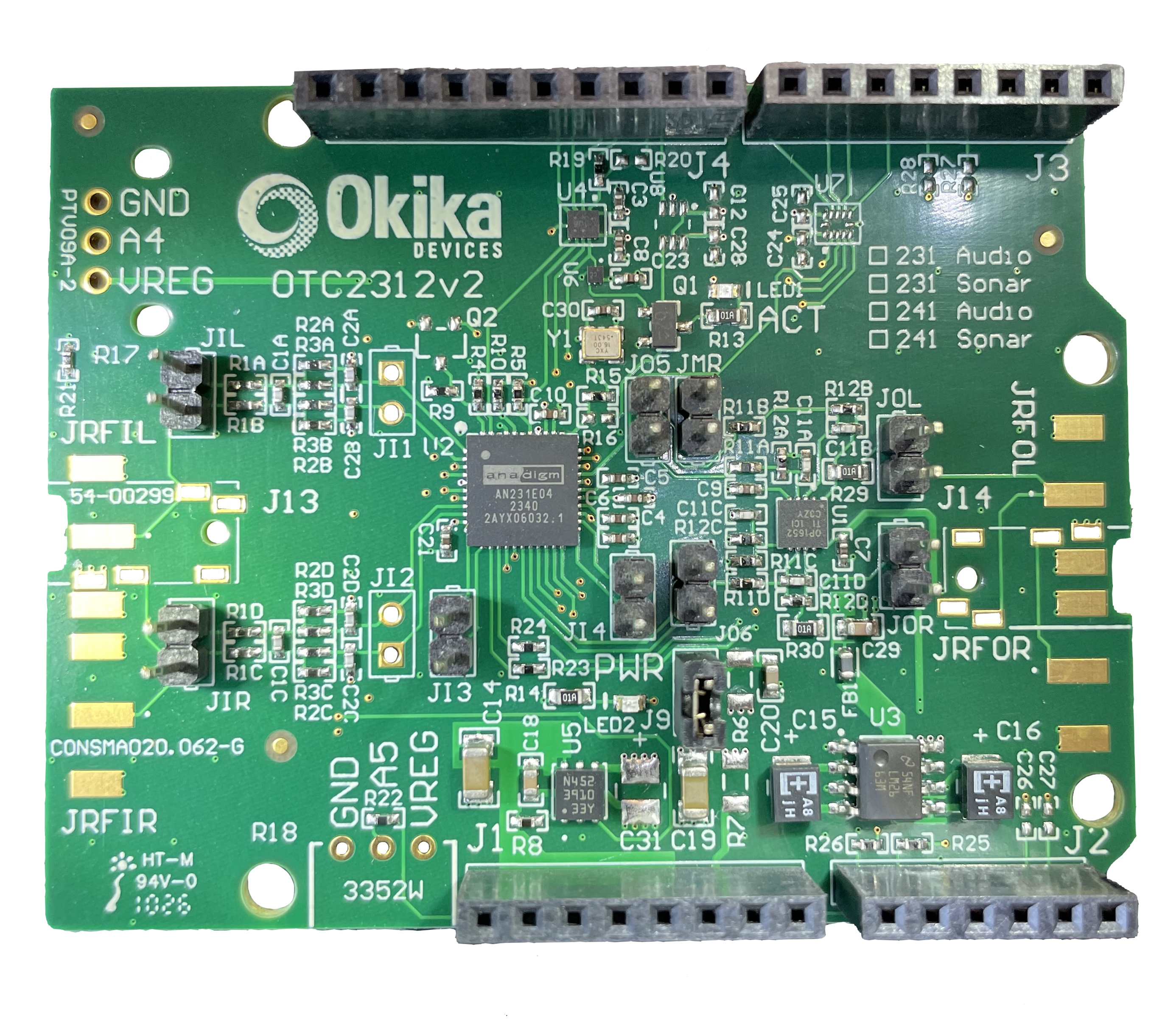
The OTC2312 FlexAnalog Arduino Shield adds a field-programmable analog array to the Arduino form factor. The Arduino controls its configuration through a digital interface, while the FPAA continuously processes the analog waveform.
This demonstration uses the shield’s ground-referenced single-ended input and buffered single-ended output to build a programmable low-pass filter with gain. You will measure its response, then change its programmable cutoff without rebuilding the circuit. All wiring and measurement instructions below apply to this single-ended setup.
What the shield adds to an Arduino system
The OTC2312 uses an AN231E04 FPAA and provides:
- Arduino Uno-compatible shield format
- One or two analog signal channels
- Fully differential internal analog paths
- Ground-referenced single-ended inputs
- Buffered single-ended outputs
- Onboard power supplies and a 16 MHz clock
- SPI-level shifting and runtime configuration support
- Configurable analog modules for filtering, gain, comparison, integration, and other functions
Understanding the single-ended bandwidth limit
The single-ended input path includes an onboard Rauch low-pass filter with a fixed cutoff frequency of 23 kHz. This filter limits the bandwidth available through the single-ended interface.
The shield’s approximately 400 kHz signal capability applies to differential inputs, subject to the implemented circuit and operating conditions. It does not apply to the single-ended connection used in this demonstration.
The fixed 23 kHz Rauch filter and the programmable filter inside the FPAA serve separate roles. This project switches the programmable filter between 1 kHz and 5 kHz, both below the onboard cutoff. Changing the FPAA configuration does not change or bypass the Rauch filter.
The 23 kHz cutoff is not an abrupt boundary beyond which signals disappear. Signals are progressively attenuated through and above the filter’s transition region.
Project objective
Create a single-ended signal-conditioning stage with:
- Input: Ground-referenced single-ended input through the onboard 23 kHz Rauch filter
- Output: Buffered single-ended output measured relative to board ground
- Nominal gain: 2 V/V
- Initial programmable low-pass cutoff: 1 kHz
- Test input: 200 mV peak-to-peak sine wave
- Expected low-frequency output: Approximately 400 mV peak-to-peak, assuming the board interface stages provide unity overall gain
- Second configuration: A 5 kHz programmable cutoff
The example demonstrates two capabilities:
- The FPAA processes the waveform in analog hardware before any Arduino ADC conversion.
- The Arduino can load a different analog configuration through SPI.
Hardware and software
You will need:
- OTC2312 FlexAnalog Arduino Shield
- Compatible Arduino or another supported SPI-capable host
- AnadigmDesigner2 software
- Stable USB or external power as required by the board documentation
- Function generator or known analog signal source
- Oscilloscope
- Optional Arduino ADC logging sketch for viewing the conditioned signal digitally
Review the shield data sheet before connecting external signals. Identify the single-ended input, its ground connection, and the buffered single-ended output. Confirm the permitted input amplitude and DC offset, connector selection, and jumper or footprint settings for this path.
Step 1: Design the analog circuit in AnadigmDesigner2
Create a new project for the AN231E04 target. Configure the input and output I/O cells to match the shield’s single-ended interface circuitry, following the board documentation or supported example.
The external connections in this demonstration are single-ended even though the FPAA uses differential internal analog paths.
Place either:
- A low-pass filter CAM that includes the required gain, or
- A gain CAM followed by a low-pass filter CAM
Set the nominal gain to 2 V/V and the programmable low-pass cutoff to 1 kHz. Connect the input I/O cell to the processing stage and then to the output I/O cell.
Use the resource meter to confirm that the design fits. Review internal signal levels to make sure the output remains within the available headroom at the maximum expected input.
The onboard Rauch filter remains a separate, fixed stage in the single-ended input path. You do not set its 23 kHz cutoff in AnadigmDesigner2.
Step 2: Simulate the response
Attach a signal generator and output probe in AnadigmDesigner2. Simulate the circuit at several frequencies.
Distinguish the simulated FPAA response from the complete board response. Unless explicitly included in the model, the external Rauch filter and other board-level interface circuitry are not represented by the FPAA simulation. Hardware measurements include these stages as well as the programmed filter.
At 100 Hz
The signal is well inside the programmable filter’s passband. With a gain setting of 2 V/V, the simulated output should be close to twice the input amplitude.
At 1 kHz
The signal is near the nominal programmable cutoff. Attenuation depends on the selected filter response. A Butterworth response is approximately 3 dB below its passband gain at the cutoff.
At 10 kHz
The signal is one decade above the programmable cutoff. The output should be substantially attenuated according to the filter order.
Also run a transient or square-wave test if the intended sensor signal contains steps or pulses. This reveals overshoot and settling behavior that a frequency sweep alone does not show.
Step 3: Create the second configuration
Duplicate the design and change the programmable cutoff from 1 kHz to 5 kHz. Keep the gain and I/O assignments consistent.
Both configurations use the same single-ended input and output connections. The onboard Rauch filter remains fixed at 23 kHz in both cases.
Export the verified configuration data using the format required by the shield and host-loading workflow. Give the files clear names, such as:
- gain2_lpf_1khz
- gain2_lpf_5khz
Version the design files together with the Arduino project so that the host code and analog configuration remain matched.
Step 4: Assemble the single-ended hardware setup
With power removed:
- Install the shield on the Arduino headers.
- Confirm the connector and jumper settings for the single-ended input path through the onboard Rauch filter.
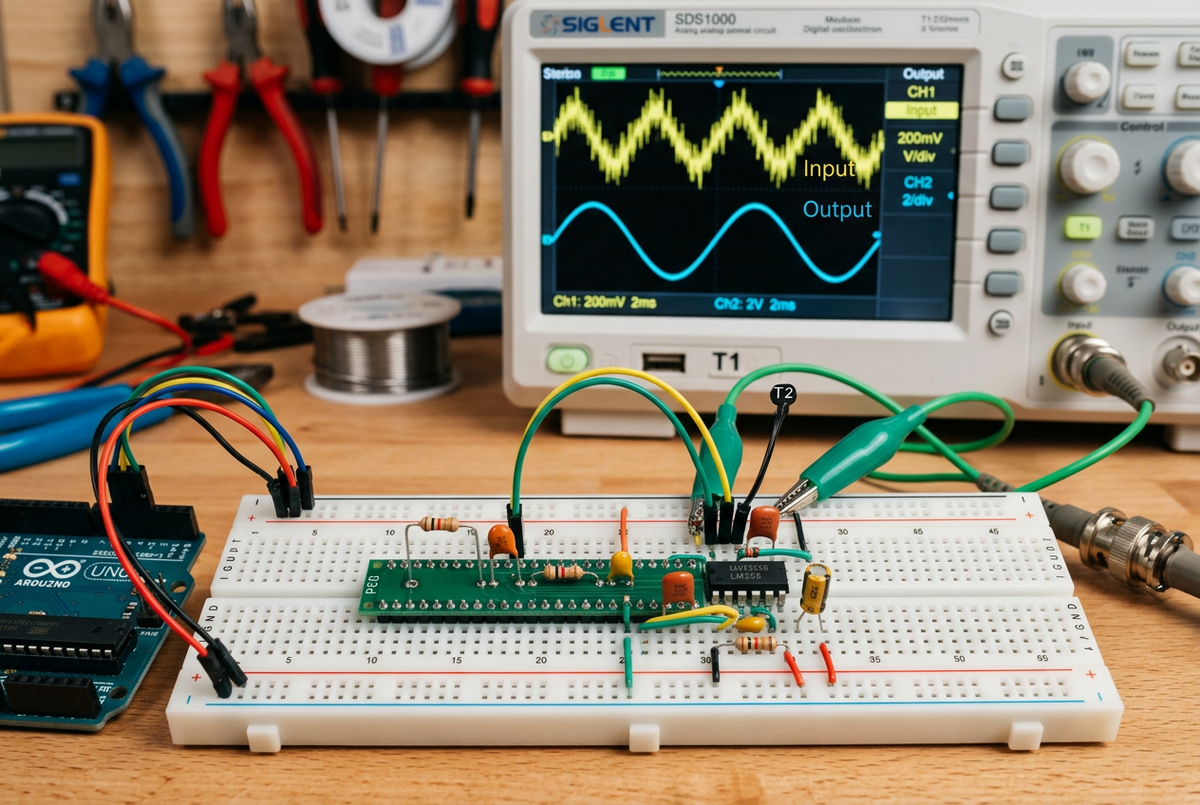
- Connect the function generator’s signal lead to the selected single-ended input and its return to the designated board ground.
- Connect the oscilloscope probe to the buffered single-ended output and its ground lead to the designated board ground.
- Verify instrument grounding according to the board documentation.
- Set the generator to a low amplitude before power-up.
Use the external single-ended measurement points specified in the board documentation.
Power the system and begin with a 100 Hz, 200 mV peak-to-peak sine wave. Set the generator’s DC offset so the complete waveform stays within the permitted single-ended input range.
Verify the actual voltage at the shield input. A function generator’s displayed amplitude can depend on its assumed load and may differ from the voltage delivered to the board.
Step 5: Load the 1 kHz filter configuration
Use the verified Okika loading example or project-specific Arduino loader to send the primary FPAA configuration through SPI. Follow the shield data sheet and supported example code for the sequence, pins, and configuration-file format.
The Arduino loads the data that configures the analog resources. Once configured, the FPAA processes the waveform continuously without waiting for an Arduino software loop.
Confirm that configuration completes successfully before applying the full test signal.
Step 6: Measure the passband gain
At 100 Hz, measure:
- Input peak-to-peak voltage at the external single-ended input, relative to board ground
- Output peak-to-peak voltage at the buffered single-ended output, relative to board ground
Calculate:
Gain = VOUT / VIN
For a 200 mV peak-to-peak input and an overall gain of 2 V/V, the expected output is approximately 400 mV peak-to-peak.
The measured gain includes the board’s input and output interface stages as well as the FPAA circuit. Differences from the expected value may result from interface gain, source impedance, measurement configuration, filter response, or parameter rounding.
If the gain differs from expectations, confirm the generator load setting and the measurement points. Measuring one side of an internal differential signal is not equivalent to measuring the buffered single-ended output used here.
Step 7: Sweep the frequency
Keep the measured input amplitude constant and record the output amplitude at:
- 100 Hz
- 300 Hz
- 500 Hz
- 1 kHz
- 2 kHz
- 5 kHz
- 10 kHz
Convert each measurement to gain in decibels:
Gain dB = 20 log10(VOUT / VIN)
Plot gain versus frequency on a logarithmic axis.
Compare the measured board response with the simulated FPAA response, accounting for the fixed 23 kHz Rauch filter and the other interface stages. Any attenuation or phase shift contributed by the onboard filter remains part of the hardware response.
To identify the measured cutoff, compare the gain with the low-frequency passband gain. For a Butterworth response, the cutoff occurs approximately 3 dB below that passband level, rather than necessarily at an absolute gain of −3 dB.
For a more automated test, use a network analyzer or a function generator with sweep capability.
Step 8: Change the analog behavior
Load the 5 kHz configuration and repeat the sweep using the same single-ended connections.
The programmable FPAA cutoff changes from 1 kHz to 5 kHz. The physical connections stay the same, and the onboard Rauch filter remains fixed at 23 kHz.
This demonstrates how the Arduino can select a different analog response as part of a system mode change. In a fixed RC or active-filter circuit, changing the cutoff would require switching or replacing resistors and capacitors.
Possible extensions include:
- Narrower- and wider-bandwidth sensor modes within the single-ended path’s bandwidth
- Automatic gain-range selection
- Audio tone or effects processing
- Adaptive filtering
- Threshold detection before the Arduino ADC
- Switching between low-pass, band-pass, and high-pass functions within the bandwidth allowed by the fixed input filter
All extensions using this single-ended connection retain the onboard 23 kHz low-pass filter. Programming a higher FPAA cutoff cannot recover signal content already attenuated by that stage.
Step 9: Optionally sample the conditioned output
Connect the buffered single-ended output to an Arduino analog input only if the entire waveform, including its DC offset, stays within the ADC’s permitted voltage range and the grounding is compatible.
The Arduino can then digitize the conditioned signal for display, control, or communications.
Choose a sample rate appropriate for the configured bandwidth and the Arduino ADC’s capabilities. The analog filter must provide adequate anti-alias attenuation for the sampling plan. A 1 kHz cutoff does not automatically guarantee sufficient attenuation of every higher-frequency signal.
Reassess the sampling plan when switching to the 5 kHz configuration. The wider analog bandwidth may require a higher sampling rate or additional filtering.
The FPAA and Arduino ADC serve different roles:
- The FPAA shapes and scales the analog waveform.
- The ADC converts the conditioned waveform into samples.
- The Arduino processes, stores, or communicates the digital data.
Troubleshooting
No output signal
Check the primary configuration, shield power rails, I/O-cell assignments, single-ended input connector and ground, and buffered single-ended output measurement point.
Gain is incorrect
Confirm the actual input amplitude, CAM gain, board interface gain, source loading, and oscilloscope termination. Measure the buffered single-ended output relative to board ground.
Corner frequency is shifted
Verify the master clock and clock-dependent CAM settings. Account for the fixed 23 kHz Rauch filter when comparing the measured board response with the FPAA-only simulation.
Changing the programmable cutoff does not remove the onboard filter.
Higher-frequency signals are attenuated
The single-ended input passes through the 23 kHz Rauch low-pass filter. Increasing the programmable cutoff cannot restore signal content already attenuated by this stage.
The approximately 400 kHz capability applies to the differential input configuration, which is outside the scope of this demonstration.
Output is noisy
Reduce cable length, improve grounding, use a clean source, inspect supply noise, and limit oscilloscope bandwidth as appropriate for the measurement. Also check for clock feedthrough near the onboard clock and its harmonics.
Arduino communication affects the waveform
Separate digital and analog wiring, avoid unnecessary SPI activity during sensitive measurements, and verify supply decoupling. If the application requires continuous updates, characterize the output during configuration changes.
A programmable analog front end for accessible prototyping
Arduino makes digital control accessible. The FlexAnalog shield extends that workflow into the analog domain.
Engineers and students can design an analog circuit graphically, simulate it, load it onto hardware, measure the result, and revise its behavior through software. In this single-ended demonstration, the programmable 1 kHz and 5 kHz filter settings operate within an input path that retains its fixed 23 kHz Rauch low-pass filter.
The Arduino handles control and digital processing, while the FPAA performs continuous analog conditioning close to the signal source.